

W03 — A long recording, finished for publishing
W02 finishes a one-minute walkthrough. A long recording — a forty-minute onboarding session, an hour-long webinar — needs the same finish, and the same 33 steps do it: every audio and video step works file to file on the whole master, whatever its length. What changes is where a long recording costs, repeats and tires: the AI that watches it, the music under it, the transcription of it, the subtitles on it. W03 is W02 with those places set for length, and one step more.
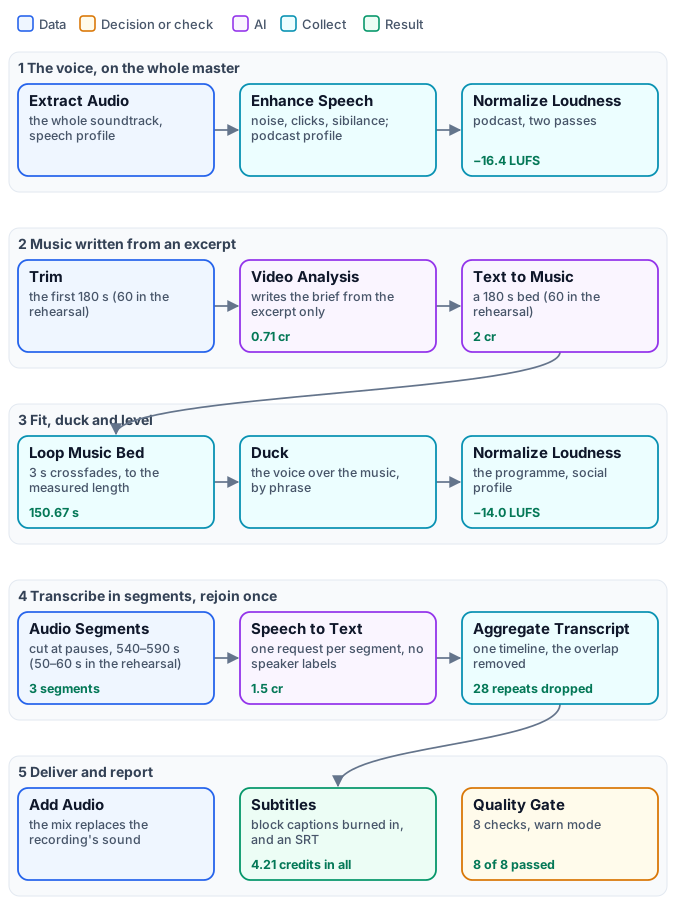
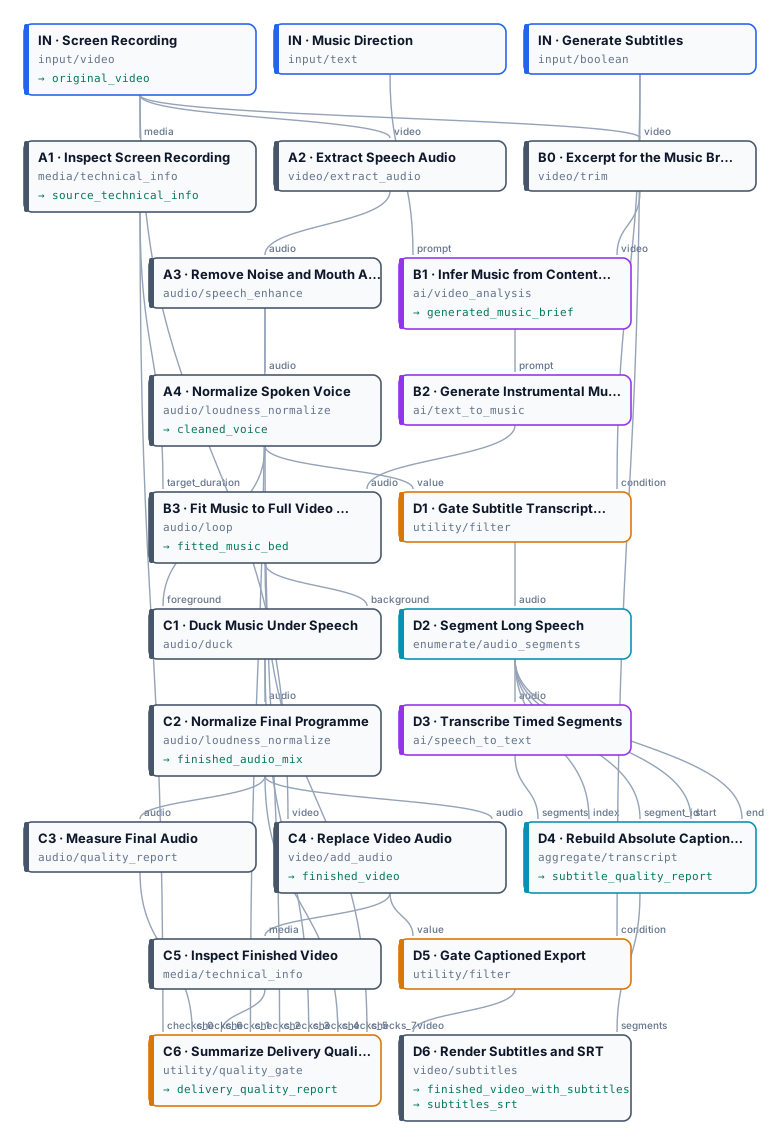
The exact graph, 34 nodes, is the workflow (as a diagram); the rehearsal is the same workflow with three values changed.
What changes from W02
Section titled “What changes from W02”| Step | W02, a short clip | W03, a long recording | Why |
|---|---|---|---|
A1, C5 media policy |
up to 1 hour | up to 2 hours | a longer recording would fail the check — reported, not blocking, but a false alarm |
B0 Trim — new |
— | the first 180 s go to the music brief | Video Analysis reads what it is given: its cost and time would grow with the recording, while the style of a tutorial is set in its first minutes |
B2 Text to Music |
60 s | 180 s, the most the default model makes | a one-minute bed under an hour repeats sixty times; a three-minute bed, twenty |
B3 Loop Music Bed |
1.5 s crossfades | 3 s crossfades | on a long, quiet programme the joins come back often: longer crossfades hide them, at the cost of a softer beat at each join |
D2 Audio Segments |
up to 12 minutes, one segment for a clip | Target clip duration 540 s, Maximum clip duration 590 s | with the 5 seconds of overlap each segment stays under ten minutes: billed ten started minutes, not eleven |
D3 Speech to Text |
speakers identified | Identify Speakers off | one narrator; and segment by segment speaker numbers restart |
D6 Subtitles |
highlight-word, speaker labels auto |
block, Speaker Labels hide |
a moving word tires the eye over an hour; whole phrases read like television subtitles |
Everything else is W02: the voice extracted, cleaned and levelled on the whole master; the bed fitted to the length
Technical Info measures; ducking by phrase; −14 LUFS; the mix put on the video; eight checks in warn mode that
report and never hold the video back.
The rehearsal: the long paths, on two and a half minutes
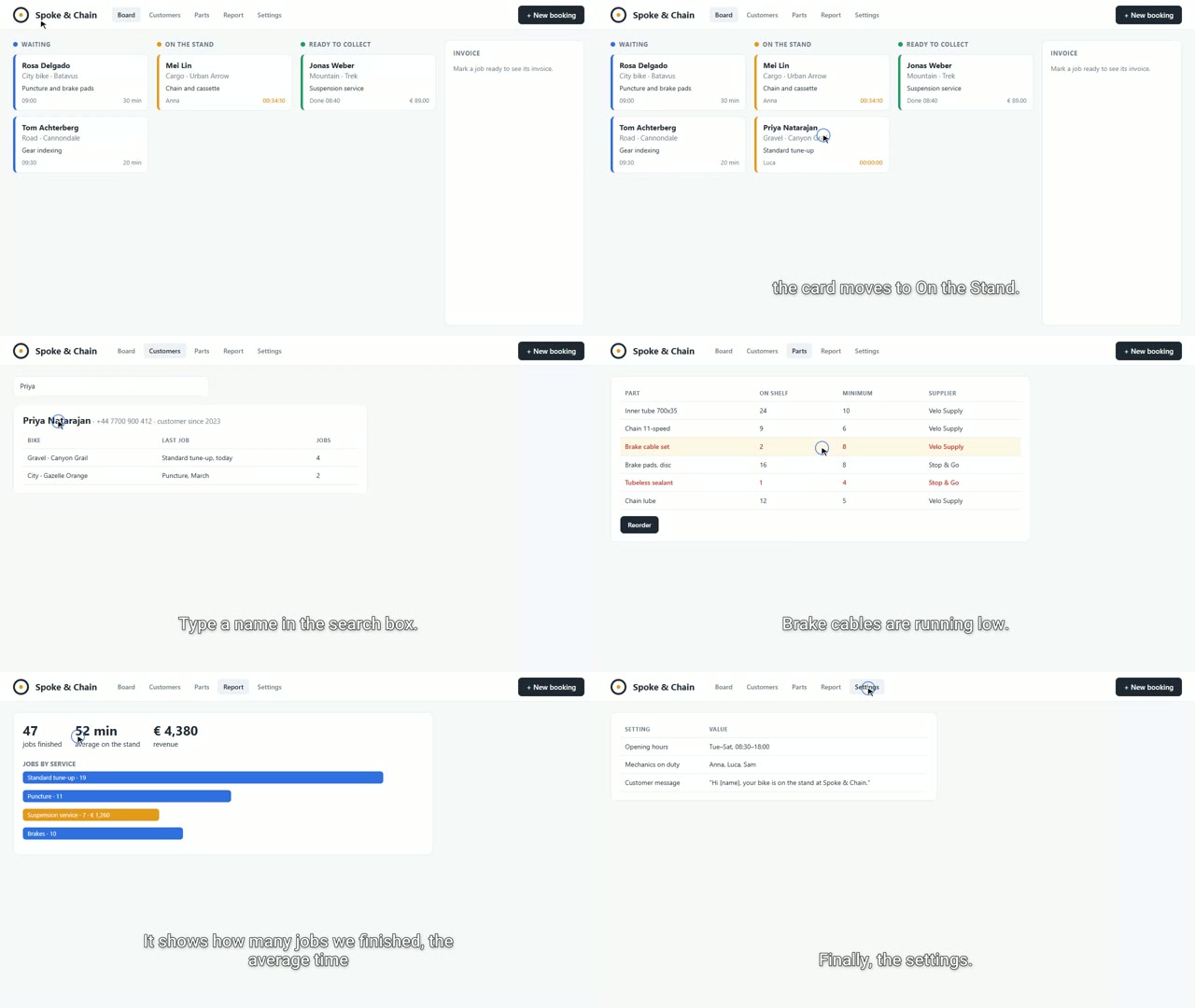
Section titled “The rehearsal: the long paths, on two and a half minutes”A workflow for an hour should not be tried first on an hour. The rehearsal runs the same 34 steps on a 2 min 31 s walkthrough of the same workshop’s app — bookings, customers, a bike’s history, the parts stock and a reorder, the weekly report, the settings — with three values lowered so that everything a long recording triggers happens on a short one:
| Value | Reference | Rehearsal | What it makes happen |
|---|---|---|---|
B0 Trim end |
180 s | 60 s | the brief is written from an excerpt, not the whole video |
B2 Duration (s) |
180 | 60 | the bed is shorter than the video, so it loops, and the joins can be heard |
D2 target and maximum |
540 and 590 s | 50 and 60 s | the transcription is cut into segments and rejoined, and billed per segment |
What it showed:
-
Three segments, one timeline. The transcription came back in 3 segments; Aggregate Transcript put 404 cues on the recording’s timeline, dropped 28 repeated in the overlaps and kept 376. The subtitles run across the cuts with no word missing and none repeated:
00:00:47,520 --> 00:00:50,180 message, so nobody has to call the shop to ask.00:00:51,624 --> 00:00:53,884 When the work is done, mark the job ready. -
Billed per segment. Three segments, three started minutes: 1.5 credits. The same rule, with the reference values, keeps an hour at about 60 started minutes.
-
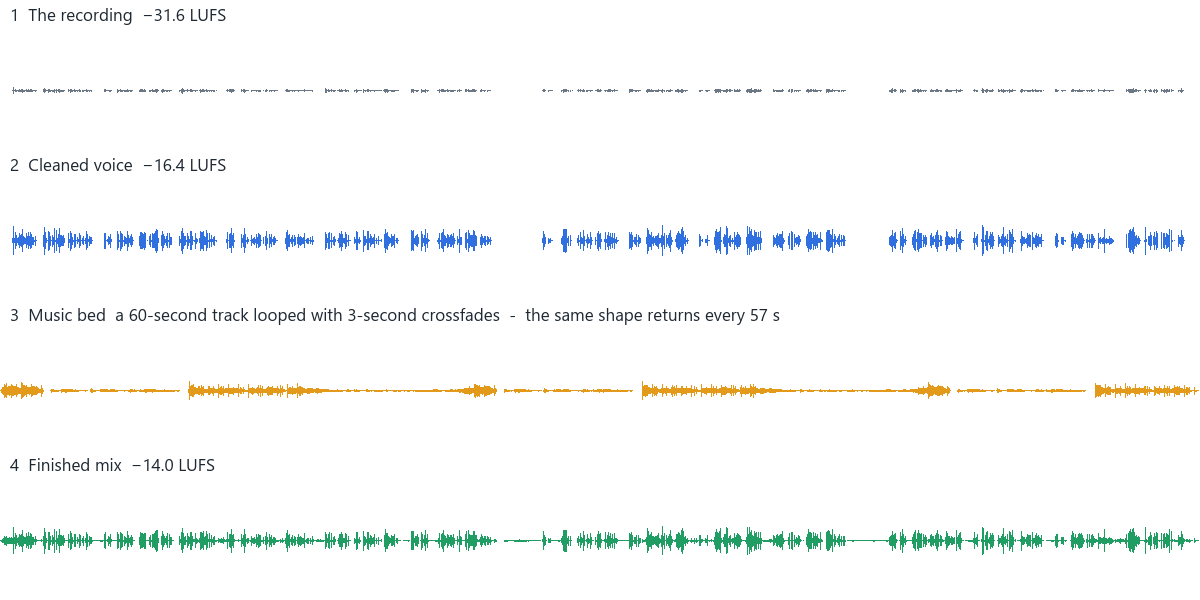
The loop, heard. The 60-second bed covers 150.7 seconds in three passes, 3-second crossfades between them; the same shape returns every 57 seconds.
-
A brief from the first minute. Video Analysis saw only 60 seconds, and wrote: “An optimistic and clean mid-tempo instrumental track, featuring light acoustic guitar plucking, soft ambient synth pads, and a gentle, steady percussion rhythm…” — much the music W02’s analysis wrote from its whole minute.
| Measure | Recording | Finished |
|---|---|---|
| Length | 2 min 31 s | 2 min 31 s |
| Integrated loudness | −31.6 LUFS | −14.0 LUFS |
| True peak | −12.4 dBFS | −1.5 dBFS |
| Transcription | — | 3 segments, 376 cues |
| Quality checks | — | 8 of 8 passed |
| Time on Dev | — | 3 min 38 s |
| Credits | — | 4.21: analysis 0.71, music 2, transcription 1.5 |
Listen to the first 30 seconds of the recording and to the whole looped bed. The SRT, the delivery report and the subtitle report are the run’s own.
On an hour
Section titled “On an hour”The rehearsal proves the paths; an hour adds size and time. What to plan for:
- Upload. A file can be at most 250 MB, whichever way it is uploaded. This recording is 1.6 MB a minute, about 100 MB an hour; a screen recording made at 4K or 60 frames per second should be encoded again at 1080p or 720p and 30 frames per second first.
- Credits. The music is 2 credits for any length; the analysis reads only the excerpt, so it costs about the same
for any length — roughly 2 credits for three minutes; the transcription is 0.5 per started minute, about 30 for
an hour. Its estimate is deferred — the number of segments is known only when the run cuts them — so submit
with
admission_limits(Executions). - Files. The cleaned voice, the fitted bed and the mix are WAV outputs: an hour of WAV is several hundred megabytes each. They are kept so that each layer can be heard; a workflow that only needs the video can drop those three outputs.
- Burned-in subtitles encode the whole video again. For a video that will play in a web player, set
D6Output Mode tosidecar: the SRT only, and the video is not encoded again. - What to listen to. A long pause, where the music comes back up; a join of the loop, every three minutes; the subtitles right after a segment cut, every ten minutes; the end, where the music fades.
This example has been rehearsed, not yet run on an hour: the times and sizes above are planned from the rehearsal and from the nodes’ limits, not measured on a full hour.
Run it yourself
Section titled “Run it yourself”node madoo-install-example.mjs w03-long-recording-finish --api <your Madoo API URL> --key <key.json> --run --save finished-longThe installer uploads the walkthrough, creates and publishes the reference workflow and runs it. On the two-and-a-half-minute recording the reference values give one segment and no loop — Trim stops at the end of a video shorter than the excerpt — for 5.01 credits: analysis 1.51 (the whole 2.5 minutes), music 2, transcription 1.5. To rehearse the long paths as above, create a workflow from variant-rehearsal-workflow.json and run it with the same recording. Then run the reference workflow on your own long recording.
The workshop, its app, its customers and the narrator’s voice are fictional, made for this example.