

Magic Box
Every other product node does what it is told: a surface, a light, a room, a mood from a list. Product Magic Box
(ai/magic_box) is the one you do not brief. It looks at the product — what it is, what it is for, where it comes
from, what is drawn on it — and invents a picture for it: a place, a light and a small story that you would probably
not have thought of, and that still sells the object. Its purpose is to surprise.
What it never does is change the product. The shape, the colours, the decoration and the label of the photo stay exactly as they are; everything surprising happens around it.
What to expect
Section titled “What to expect”- One idea per variant. With
variants: 4you get four different ideas, not four takes of one — useful to find a direction before a campaign. - Something new every run. A second run on the same photo avoids the ideas of the last runs, so running it again is the way to see more.
- The product’s own story. The ideas start from the object — what it is for, where it comes from, what is drawn on it — and a creative move turns them into a picture: a change of scale, a law of physics gently broken, the object displayed like a treasure of the future. The link is usually visible once you see the picture.
- The photo’s proportions. The picture keeps the frame of the product photo; to fit a channel, crop it afterwards with Resize for Platform.
- No repeat. A result cannot be made again — there is no seed to replay it. Keep the ones you like.
Settings
Section titled “Settings”| Setting | Values | What it changes |
|---|---|---|
creativityLevel |
low, medium (default), high |
low: elegant and credible, surprise through beauty and precision; medium: one clear surprise in a believable picture; high: bold, poetic, even impossible worlds — the product stays recognisable and desirable |
mood |
auto (default), luxury, dramatic, natural, urban, futuristic, warm, minimal, bold |
A direction every idea must respect; auto leaves the choice to the node |
variants |
1–4 | How many pictures — each a different idea |
The input is one product picture on image. The outputs are result, or variant_1 … variant_N with variants.
Price and time
Section titled “Price and time”Each picture costs what the image model costs — 5 credits on the default, Nano Banana 2 Edit. The node also thinks before it draws — it studies the product and writes each idea — and that work is charged at its real cost, well under half a credit per picture (0.38 credits for one idea in the lab, 0.59 for two). The estimate reserves a little more for it (about 2 credits per node) and releases what is not used.
The variants are made at the same time: four pictures take about as long as one, about a minute in the lab.
Magic Box or a product node?
Section titled “Magic Box or a product node?”| You want | Use |
|---|---|
| A picture you did not plan, a direction to discover, a surprise | Magic Box |
| The same look on a hundred products, a set surface and light | Product Photography with presets |
| A scene you describe, a catalogue style | Lifestyle, Image Transform |
A common path: run Magic Box with four variants, pick the idea you like, then reproduce it for the whole range with a controlled node and the words of that picture in its prompt.
Good practice
Section titled “Good practice”- Give it a clean photo of the product alone — on a plain background, or cut out with Remove Background first. Everything in the photo is treated as the product.
- Start at
medium, go tohighwhen you want to be surprised more than reassured, and tolowfor pictures that must stay close to a classic catalogue. - Use
moodwhen the brand has one: every idea will respect it. - Look at the product in the result as you would with any AI picture: fine lettering and small details are where a model most often improvises.
The lab
Section titled “The lab”The Magic Box lab gives the node two objects of the museum-shop collection: the blue and white teapot, on medium creativity, and the Delft shoe, on high creativity with a luxury mood and two variants.
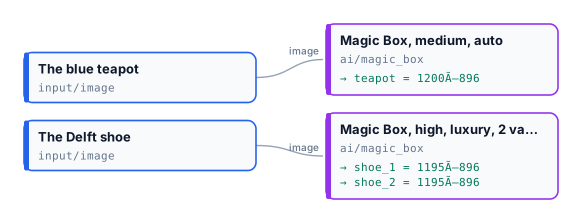
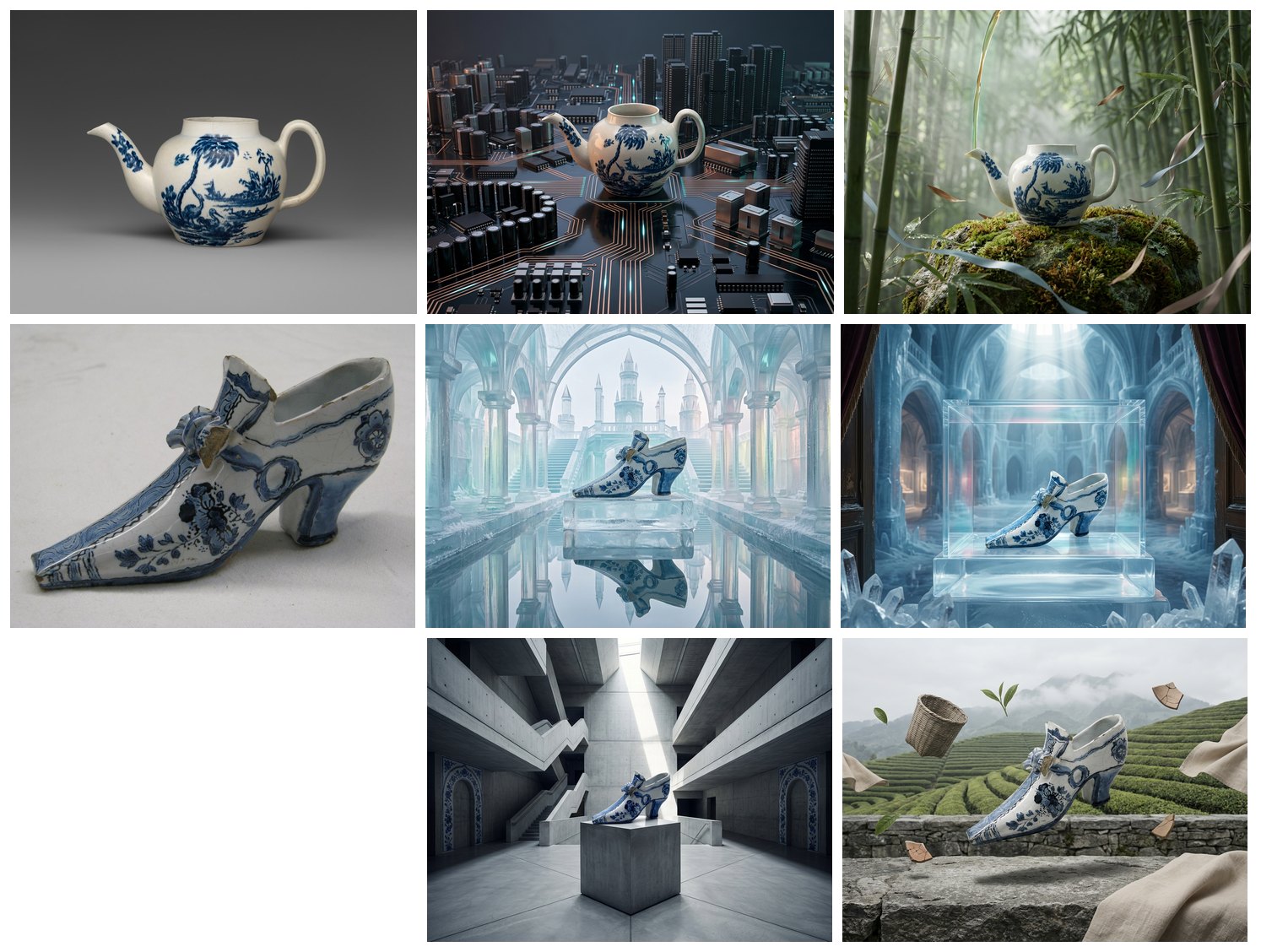
The lab was run twice on the same photos, 16 credits a run: 15 for the pictures, about 1 for the thinking. The first run made the teapot a tower of a circuit-board city and gave the shoe two ideas — an ice palace mirrored in water, a vitrine in a crystal museum. The second run went elsewhere on purpose: a bamboo grove, a concrete atrium, tea terraces. In every picture the object is the one of the photo.
node madoo-install-example.mjs lab-magic-box --api <your Madoo API URL> --key <key.json> --run --save magicLimits
Section titled “Limits”- The result cannot be steered in detail — that is the job of the product nodes.
moodandcreativityLevelare the only directions. - One product per picture.
- The pictures are not reproducible; save the ones you want to keep.
Photos: “Teapot”, John Bartlam, about 1765–69; “Shoe”, 1697, Delftware — The Metropolitan Museum of Art, New York (Open Access, public domain). The generated pictures were made by Nano Banana 2 Edit, for this lab.