

I06 — A name, three personalised gifts and the proof
Personalised gifts are sold before they exist. The customer types a name and wants to see it on the product, as it will be made — thread, foil, burnt wood — before paying; the workshop wants to know exactly what to make. A generative model alone gets the look right but may misspell the name or move it; a template alone gets the name right but looks like a sticker.
This example does both: the name is set deterministically — exact spelling, exact place, the shop’s typeface — on a photo of each blank product, and an AI step renders the finish on the name alone, the blank product telling it what is new. It is the technique of Designs on products, driven by a customer’s input.
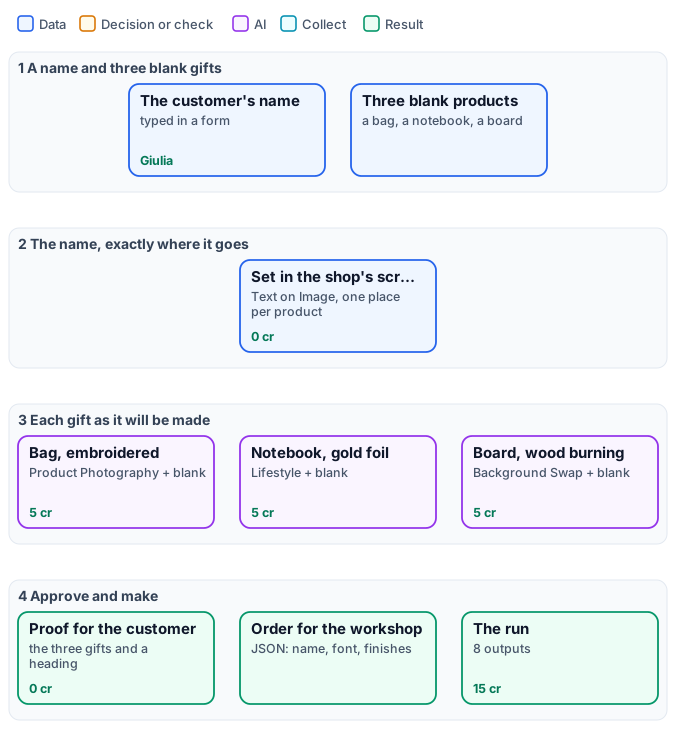
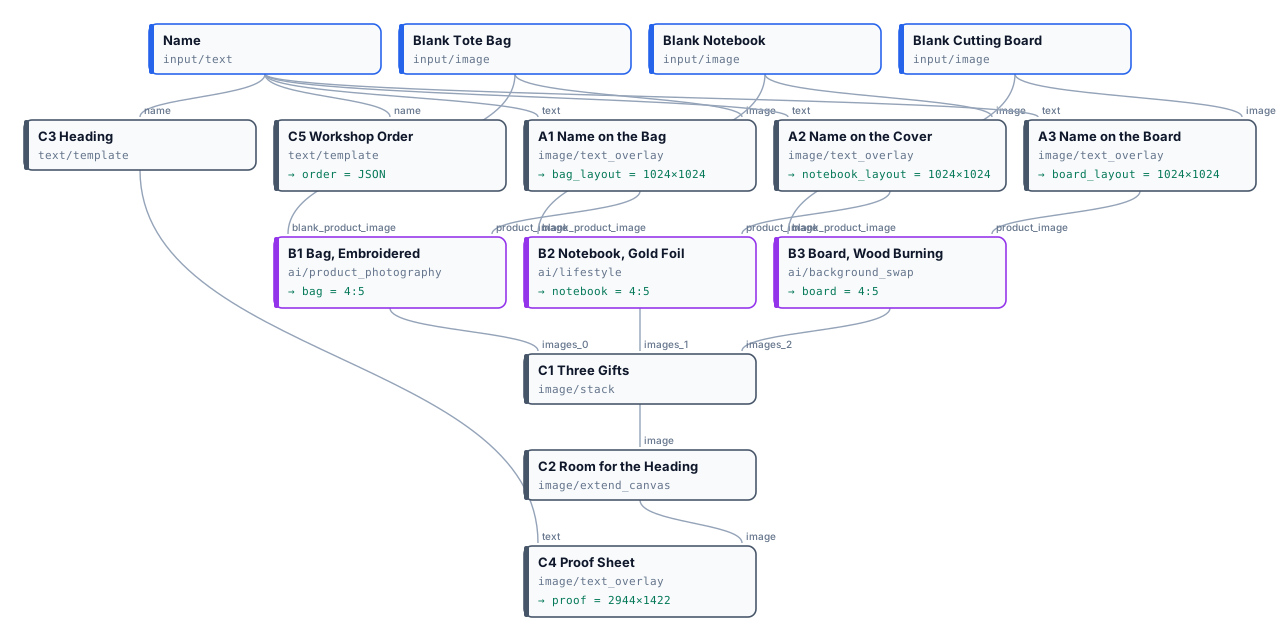
The exact graph is the workflow (as a diagram).
The case
Section titled “The case”| Input | Who provides it | Reference run |
|---|---|---|
| Name | the customer, in the shop’s form | Giulia |
| Blank Tote Bag, Blank Notebook, Blank Cutting Board | the shop, once | photos of the three blank products |
What it shows
Section titled “What it shows”- The name is never left to a model. Text on Image sets it in Dancing Script, centred where each product carries it — lower on the bag, centred on the cover, on the round of the board — in the colour of the finish: navy thread, gold, dark wood.
- The finish is. Each product node gets the product with the name and the blank product on
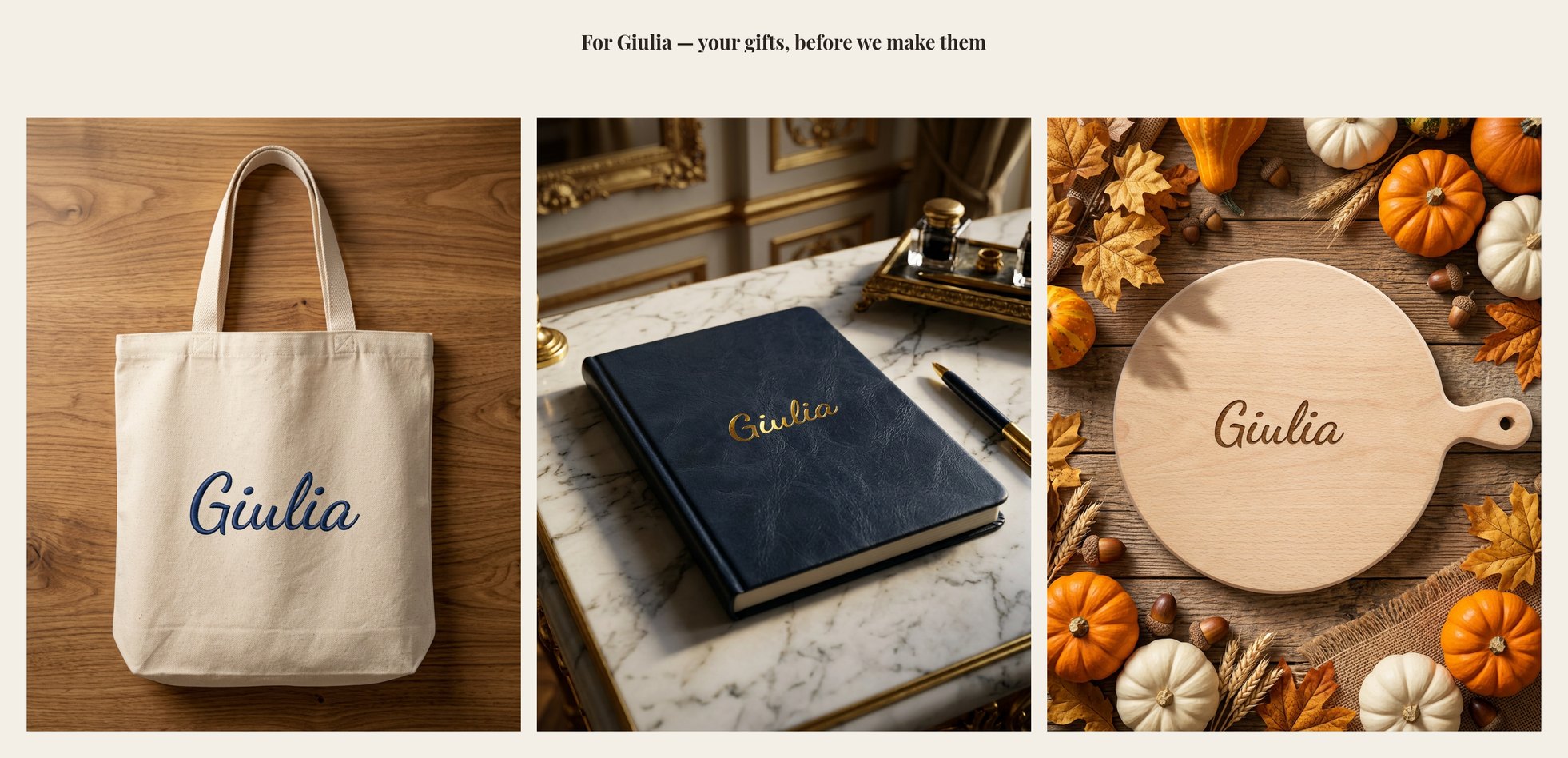
blank_product_image, and an effect:embroidery,foil_gold,wood_burning. The model compares the two, finds what is new — the name — and renders the finish on it alone (Designs on products). - One input, three scenes. The bag is photographed on a wooden table by a window, the notebook on marble in a gilded study, the board among autumn leaves and pumpkins: each with the node that suits it — Product Photography, Lifestyle, Background Swap.
- Two deliveries. The customer gets a proof sheet with their name in the heading; the workshop gets the order as JSON from a Text Template — the name exactly as typed, the font, each product and its finish.
The workflow, step by step
Section titled “The workflow, step by step”| Phase | Steps | What they do here |
|---|---|---|
| A — set the name | A1 Name on the Bag, A2 Name on the Cover, A3 Name on the Board |
Text on Image, anchor center with an offset per product, maxWidthPercent to the printable area |
| B — render the finish | B1 Bag, Embroidered, B2 Notebook, Gold Foil, B3 Board, Wood Burning |
each with the named product, its blank and an effect; 4:5 |
| C — deliver | C1 Three Gifts, C2 Room for the Heading, C3 Heading, C4 Proof Sheet, C5 Workshop Order |
Stack, Extend Canvas, the heading from the name; the order JSON to output/json |
The reference run
Section titled “The reference run”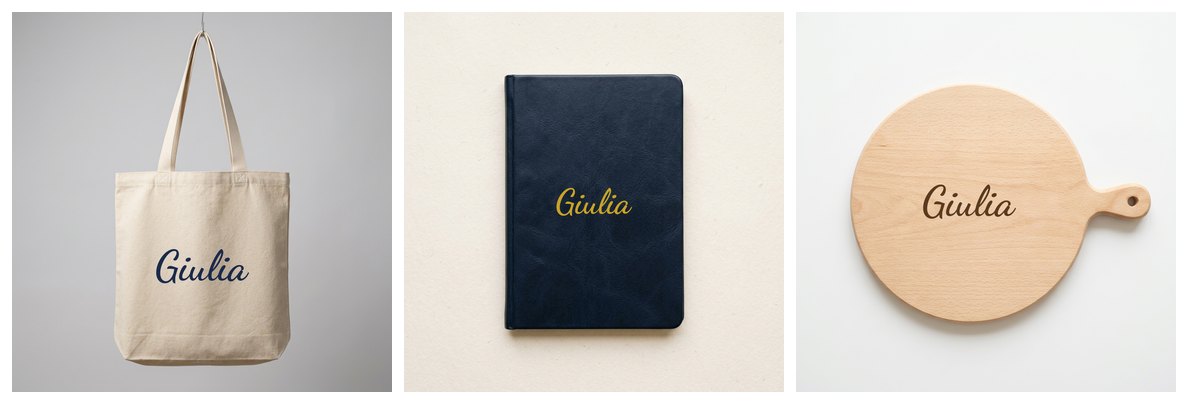
| Output | Result |
|---|---|
bag_layout, notebook_layout, board_layout |
the name set on each blank, 1024 × 1024 |
bag, notebook, board |
the gifts as they will be made, 4:5 |
proof |
2944 × 1422, for the customer |
order |
the workshop’s JSON |
15 credits: 5 per gift; setting the name, the proof and the order cost nothing. The name was spelled correctly in all three finishes — read the proof anyway, as the customer will.
Adapt it
Section titled “Adapt it”- Your products. Photograph each blank once, in the light of your shop; set the name’s place and colour per
product in
A. - Initials, dates, a logo. Any text goes through the same steps; a logo goes on with Overlay, sized first.
- A shop form. Put the workflow behind an App: the customer types the name and sees the proof; the workshop receives the JSON with the order.
- Many orders. Run one execution per order — or an iteration over the day’s orders.
Install it
Section titled “Install it”node madoo-install-example.mjs i06-personalised-gifts --api <your Madoo API URL> --key <key.json> --run --save giftsThe blank products are pictures made with Madoo’s Text to Image node; the name is invented. The rendered gifts were made by Nano Banana 2 Edit, for this example.