

D02 — Hotel photos to social clips, screened first
A hotel sends its new photo shoot and wants short video clips for its social channels. A video clip is the expensive part — tens of credits each — and a real shoot always has a few photos that should never become one: a picture forwarded through a chat at a fraction of its size, a corridor shot with a shaking hand, a terrace at dusk without a flash. This workflow looks before it pays: free checks first, then a cheap AI judgement, and the video model only for what passed both.
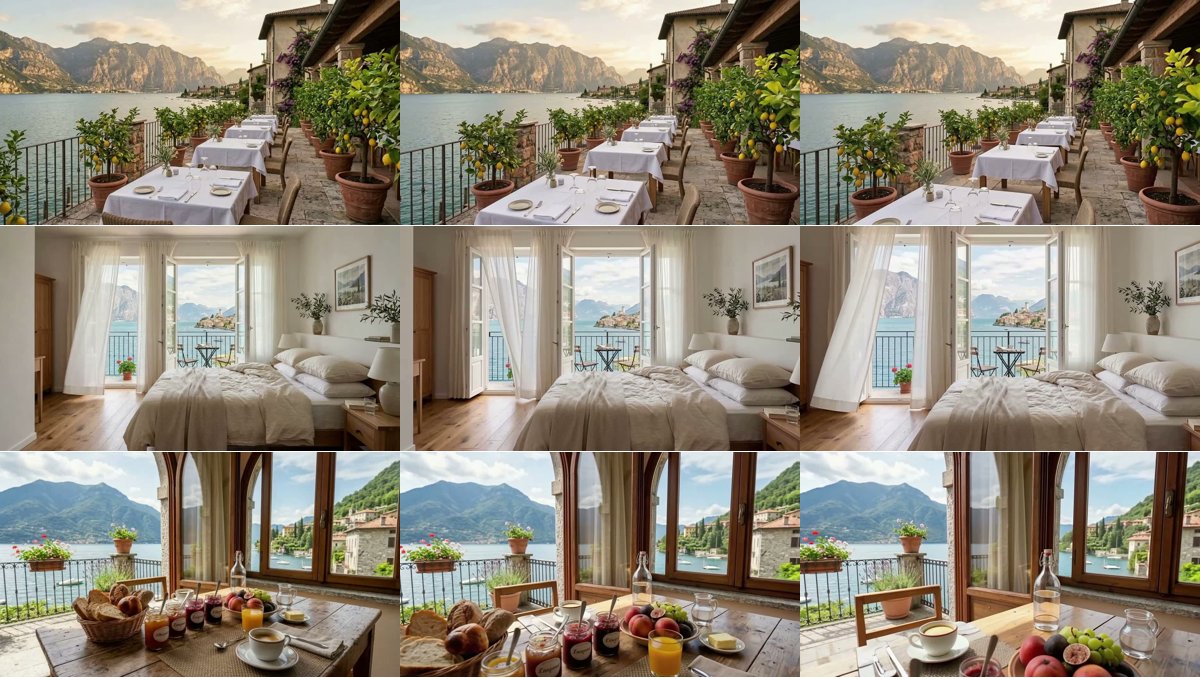
A reference run: 6 photos in, 3 clips out, every rejection explained — 96.2 credits. Clips: terrace · room · breakfast · the run’s outputs.
The case
Section titled “The case”Hotel Villa Limoni (a fictional family hotel on Lake Garda) receives six photos for its summer campaign: the breakfast terrace, a lake-view room, the breakfast table, the pool, the spa and the restaurant. Three are good. The other three have the faults of every real shoot: the pool arrived at 640 pixels because someone forwarded it through a chat, the spa was shot with a shaking hand, the restaurant at dusk is far too dark.
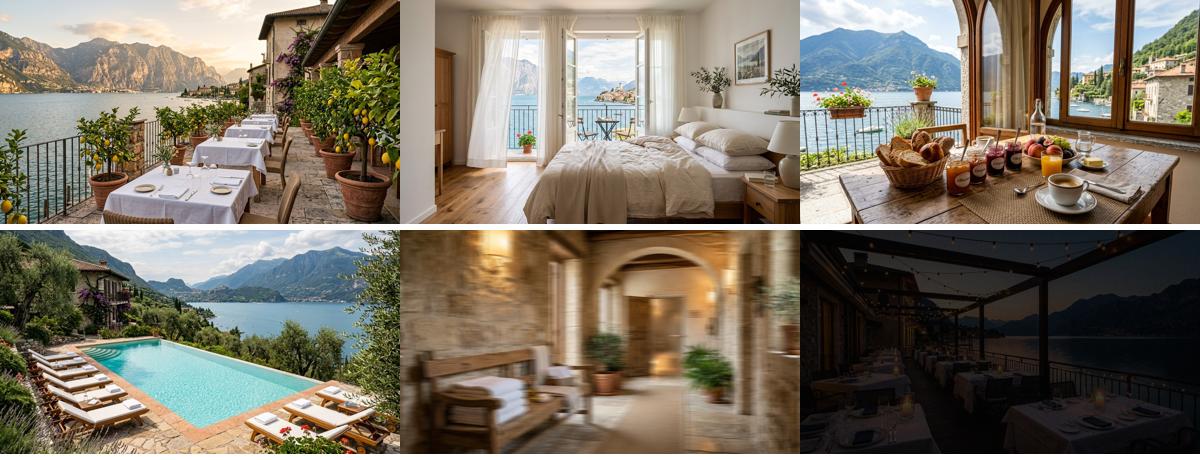
The photos arrive as one bundle: each with its space (“breakfast terrace”, “pool”) and its rights, each checked for ownership and checksum before anything else happens. The photos are the example’s starting data, generated once (30 credits) and then degraded the way real files are. I07 screens the same photos by measuring them, with no AI step: the verdicts are the same, at no credit cost.
What it shows
Section titled “What it shows”- Free before cheap before paid. The workflow orders its checks by cost. Measuring a file costs nothing; an AI looking at a photo costs about 0.03 credits; a four-second clip costs 32. Each step only receives what passed the one before, so the expensive step never sees a photo it would waste money on. Without the screening, this shoot would have cost 192 credits and delivered three clips nobody could post; with it, 96, and every clip is usable.
- Some faults are measured, not judged. The pool photo looks perfect to the eye — and to an AI — but it is 640
pixels wide, too small for a 720p clip. Media Technical Info measures it against a media policy, and a
Quality Gate in
routemode lets only the photos that pass go on. See Quality checks. - Some faults need eyes. Blur and exposure are not in the file’s metadata. Image Analysis judges each photo that passed the measurement and answers in JSON — sharp, exposure, publishable, a reason, a caption, and a direction for the camera — and Validate JSON Schema holds the answer to its contract before it decides anything. The verdicts in the reference run: “pronounced motion blur and lacks a crisp focal subject” for the spa, “significantly underexposed for professional hotel promotion” for the restaurant. See Schemas and contracts.
- The judge also directs. The same answer carries one sentence for the video model — a slow push-in, curtains moving, light on the water, nothing added that is not in the photo — so each clip moves in a way that suits its photo, without anyone writing six prompts.
- Every photo is accounted for. The Screening report has a row for each of the six photos: its width, whether it
was big enough, the AI’s verdict and its reason. The pool’s verdict is empty on purpose: it was never shown to the
AI, because the measurement had already excluded it. The Campaign keeps only the photos with a clip, with their
captions (
whenAbsent: skip_row). See Branches and absence.
The workflow
Section titled “The workflow”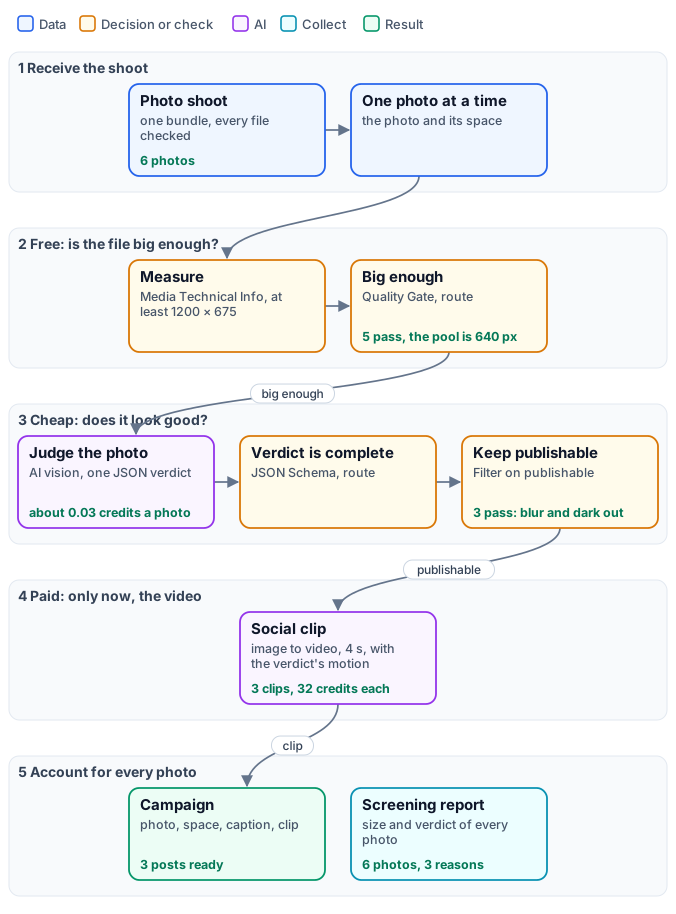
The figure tells the workflow as stages, with the reference run’s results on the cards; the exact graph is the workflow (as a diagram), node by node in the table.
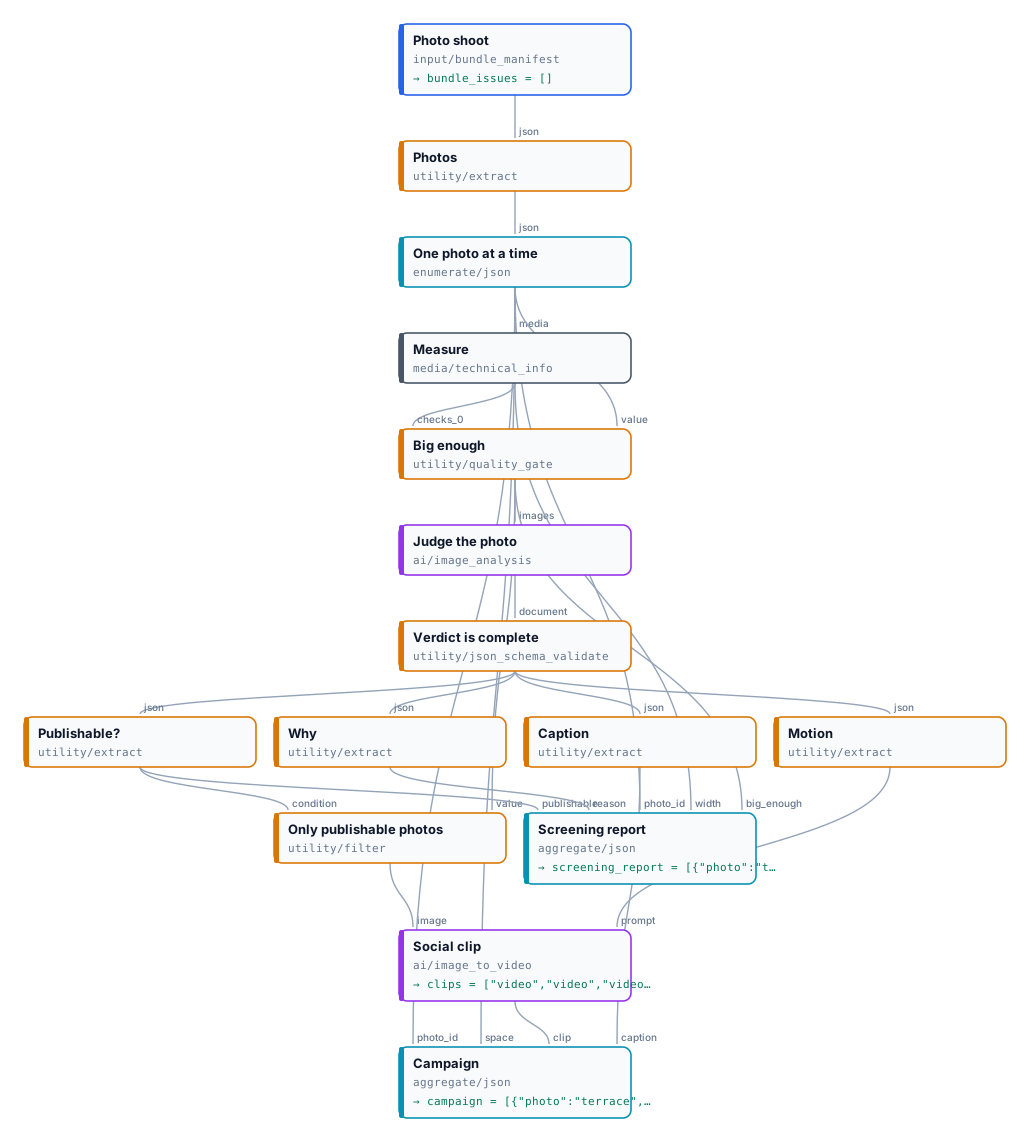
| Node | Type | Why |
|---|---|---|
| Photo shoot | input/bundle_manifest, validation: warn, verifyChecksum: always |
The shoot as one checked package; a file that fails its checks is reported and left out |
| Photos / One photo at a time | utility/extract (assets), enumerate/json |
One iteration per photo, with its id, its space and the image |
| Measure | media/technical_info, media policy: an image of at least 1200 × 675 |
The file’s real size and type, as a portable quality check |
| Big enough | utility/quality_gate, all_must_pass, route, the photo on Value |
A photo too small never reaches the AI |
| Judge the photo | ai/image_analysis, json_object, temperature 0.2 |
Sharp, exposure, publishable, reason, caption, motion — one verdict per photo |
| Verdict is complete | utility/json_schema_validate, inline schema, route |
The verdict’s fields and limits before it decides |
| Publishable? / Why / Caption / Motion | utility/extract |
The verdict’s fields |
| Keep publishable | utility/filter on publishable |
The photo passes or is cut |
| Social clip | ai/image_to_video, 4 s, 720p, 16:9, no audio |
The paid step, with the verdict’s motion as prompt |
| Campaign | aggregate/json, the clip with whenAbsent: skip_row |
The posts ready to schedule: photo, space, caption, clip |
| Screening report | aggregate/json |
Every photo, with its size and verdict |
Reading a run: Screening report is where to start: six rows, one per photo. big_enough: false is a file
problem (ask for the original); publishable: false with its reason is a photo problem (reshoot or skip).
Bundle issues lists any file of the shoot that failed its checks before the workflow started. Campaign and the
clips are what goes to the social channels.
Cost: 96.2 credits in the reference run — three clips at 32 credits (4 seconds at 8 credits a second) and five
verdicts at about 0.03. The estimate before the run cannot know how many photos a bundle holds, so it reports the cost
per photo and marks the count as deferred; run with admission_limits (for example a maximum of 20 iterations) when
a shoot could be larger than expected. Changing the video model changes the price: faster models cost an eighth to a third of
the default, at a visible loss of quality.
Install it
Section titled “Install it”The example installs into your workspace with an API key, through the public API only — see Installing an example:
node madoo-install-example.mjs d02-hotel-clips --api <your Madoo API URL> --key <key.json>It uploads the six photos, composes the bundle from shoot-spec.json
(Madoo derives type, size and checksum), saves it as the default of Photo shoot, and publishes the workflow. Add
--run to run it once (about 100 credits) and --save <folder> to download the clips and the reports.
Change it
Section titled “Change it”- Your shoot: compose a bundle from your own photos, with their spaces in the metadata, and pass it at run time.
- Your standard: the media policy of Measure (the minimum size) and the instructions of Judge the photo (what makes a photo publishable) are the two dials.
- A judge that only decides: when the verdict needs no caption or camera direction, Decide with a Model answers sharp, exposure and publishable with a probability each, on its own ports, with no schema to validate — see X01.
- Another format: the clip’s aspect ratio, length and resolution are parameters of Social clip; for vertical stories, reframe the photo first.
- Another paid step: the screening in front does not care what follows — an upscale, a relight, a catalogue layout. Put the expensive step behind Keep publishable.