

I02 — An empty room, staged, at dusk, and listed
An empty apartment photographs badly: white walls, a bare floor, nothing to make a buyer imagine living there. Furnishing it for a shoot costs days; showing it at dusk, with the fire lit, costs another visit. And whatever is done, a listing has one rule that must never bend: the room in the picture must be the room that is for sale.
This example furnishes the room and lights it for the evening without moving a wall, a window or a floorboard, then builds everything the listing needs in the agency’s look — and checks the one part that must work in the reader’s hand, the QR code, before it is delivered.
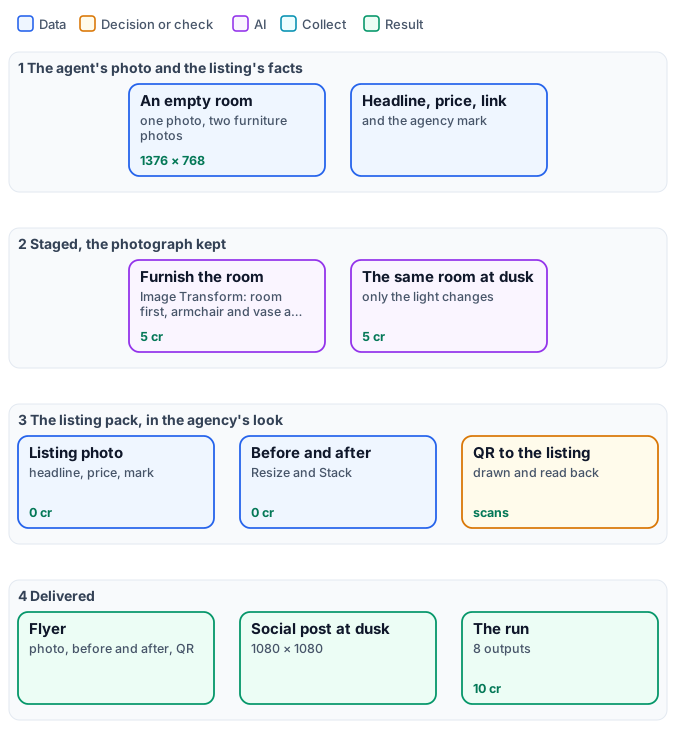
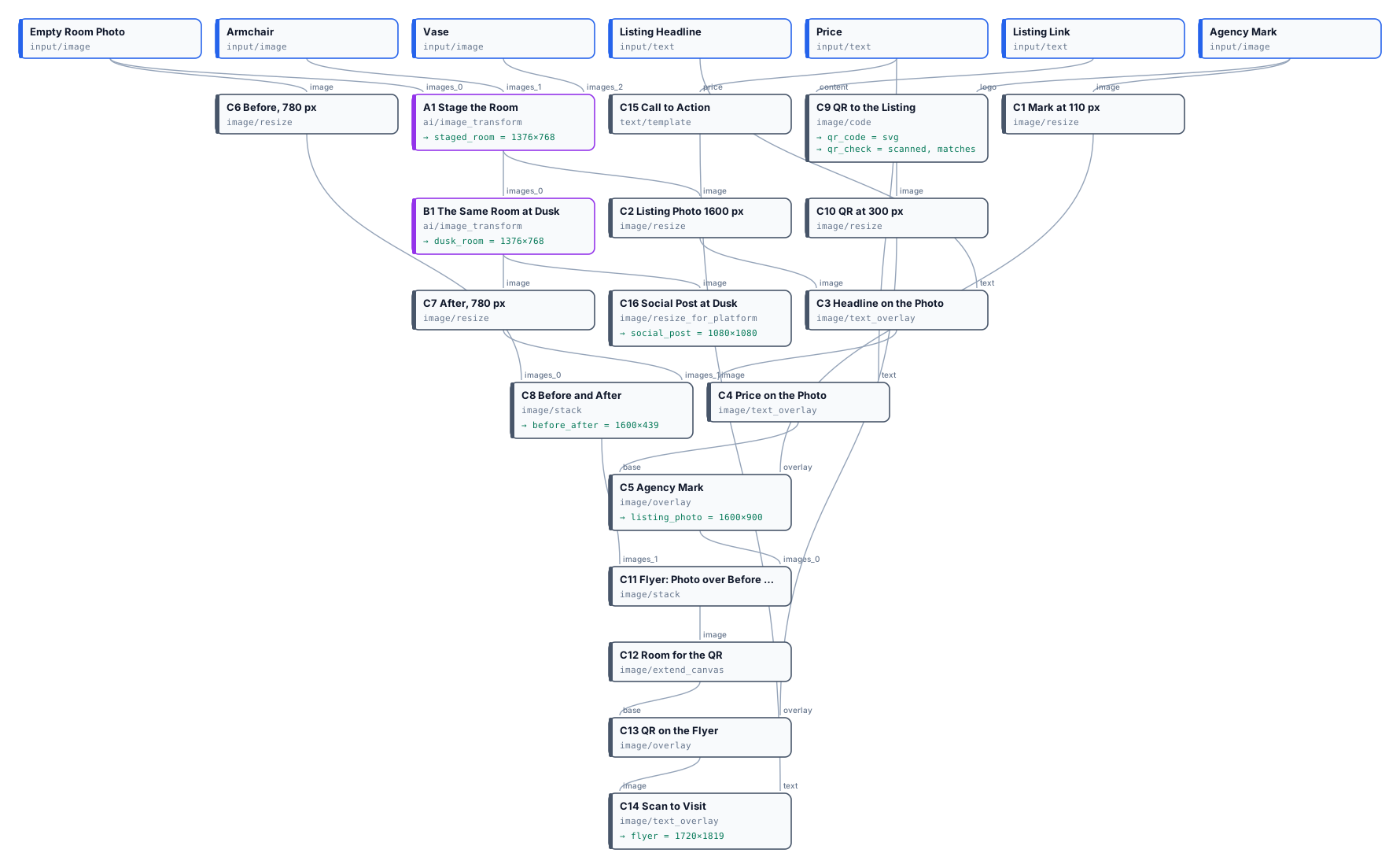
The exact graph is the workflow (as a diagram).
The case
Section titled “The case”An agency lists a four-room apartment in a nineteenth-century building. The agent sends one photo of the living room, empty; the furniture partner provides photos of two pieces — a gilded armchair and a painted vase.
| Input | Who provides it | Reference run |
|---|---|---|
| Empty Room Photo | the agent | the living room, herringbone parquet, a window, a fireplace, 1376 × 768 |
| Armchair, Vase | the furniture partner | product photos on grey |
| Listing Headline | the agent | Haussmann apartment · 4 rooms · 112 m² |
| Price | the agent | € 890,000 |
| Listing Link | the website | https://example.com/listings/rue-claire-4 |
| Agency Mark | the agency | its mark, an SVG |
What it shows
Section titled “What it shows”- The photograph is kept; only what is asked is added. The staging step is Image Transform with the room as the first picture and the furniture after it, and an instruction that starts with what must not change — camera, perspective, framing, walls, window, fireplace, floor, light. The armchair arrives by the window at the room’s scale and light, the vase on the mantelpiece; the room is the agent’s photo.
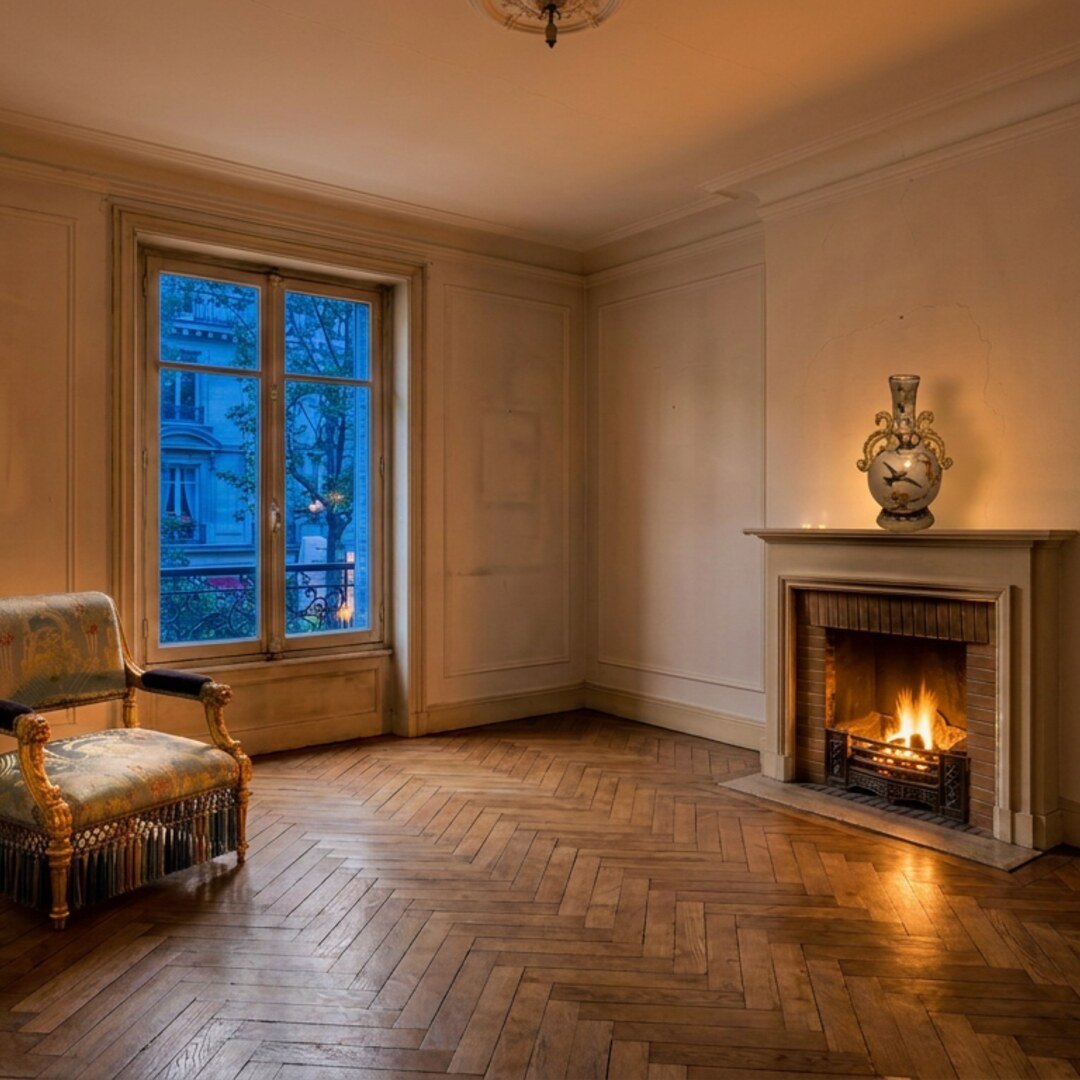
- Two moments from one photo. The dusk picture is the staged room with only its light changed: blue hour in the window, the fire and the lamps lit — the photo an agent waits for an evening to take.
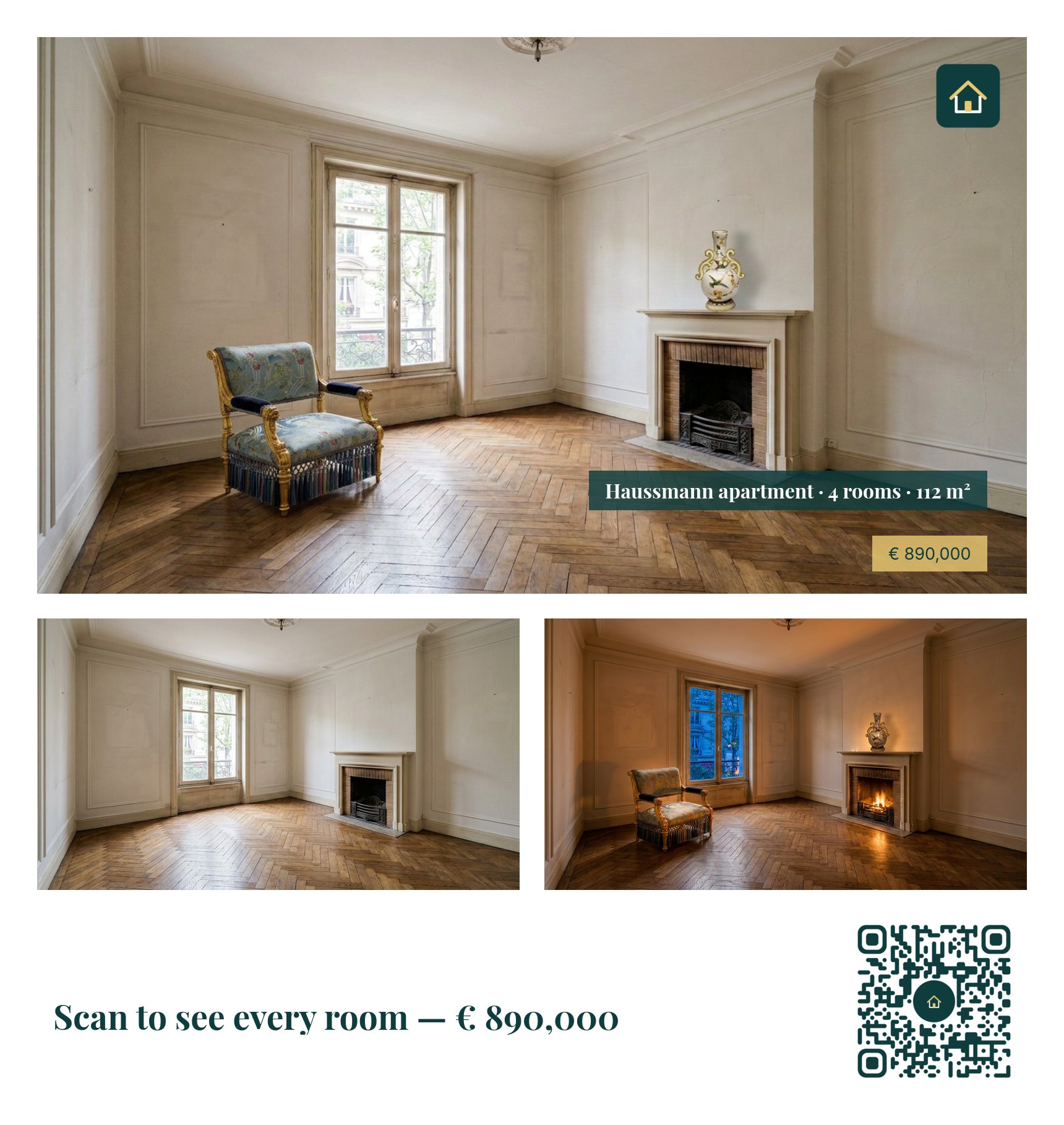
- A layout that is exact every time. The listing photo, the before-and-after, the flyer and the social post are deterministic steps: Resize, Text on Image in the agency’s fonts and colours, Overlay for the mark, Stack, Extend Canvas for the QR’s place — the same look on every listing of the agency.
- A code that is proved to work. The QR code to the listing is drawn with the agency’s mark in its centre and
read back by the step before it is returned: the run reports
scanned: true, matches: true(Layouts, batches and codes).
The workflow, step by step
Section titled “The workflow, step by step”| Phase | Steps | What they do here |
|---|---|---|
| A — stage | A1 Stage the Room |
Image Transform on Nano Banana 2 Edit with three pictures — room, armchair, vase — and aspect_ratio: match_input, so the frame is the photo’s |
| B — dusk | B1 The Same Room at Dusk |
Image Transform on the staged room: only the light changes |
| C — listing pack | C1 Mark at 110 px, C2 Listing Photo 1600 px, C3 Headline on the Photo, C4 Price on the Photo, C5 Agency Mark |
the staged room at 1600 × 900 with the headline and the price on the free floor, the mark top right |
C6–C8 Before and After |
the empty room and the dusk room side by side | |
C9 QR to the Listing, C10 QR at 300 px |
QR Code & Barcode from the link, rounded modules in the agency’s green, the mark in the centre; read back | |
C11–C15 Flyer |
the listing photo over the before-and-after, extended with room at the bottom for the QR and a call to action composed from the price | |
C16 Social Post at Dusk |
Resize for Platform, Instagram square |
The reference run
Section titled “The reference run”
| Output | Result |
|---|---|
staged_room, dusk_room |
1376 × 768, the agent’s frame |
listing_photo |
1600 × 900, headline, price and mark |
before_after |
1600 × 439 |
flyer |
1720 × 1819 |
qr_code, qr_check |
an SVG; read back, matches the link |
social_post |
1080 × 1080, the room at dusk — full size |

10 credits: 5 to furnish, 5 for dusk; the whole pack 0.
Honest staging
Section titled “Honest staging”A staged photo is a promise. Keep it:
- Start from the photo and add to it. Here Image Transform gets the room first and each piece after it, so several
pieces go in at once; for one piece, Showroom Visualizer with
room_imagedoes the same — it keeps the room as photographed and adds the product. - Say what must not change before what to add, and compare the result with the photo: walls, windows, doors, floor.
- Label it. Many markets require staged or retouched pictures to say so; a line of Text on Image — “Virtually staged” — is one more step at no cost.
Adapt it
Section titled “Adapt it”- Every room. Run the workflow once per room — the facts stay, the photo and the furniture change — or over a list of rooms with an iteration.
- Other furniture. Add pictures after the room (
images_3,images_4…) and name them in the instruction; the default model reads up to 14. - Other channels. Portals and social networks each get a Resize for Platform step, free.
Install it
Section titled “Install it”node madoo-install-example.mjs i02-staged-listing --api <your Madoo API URL> --key <key.json> --run --save listingThe empty room is a picture made with Madoo’s Text to Image node for this example, not a real property; the headline, price and link are invented. Furniture photos: “Armchair”, Herter Brothers, about 1875; “Vase”, Greenwood Pottery Company, about 1884–93 — The Metropolitan Museum of Art, New York (Open Access, public domain).